
EasySMF Events for RACF
EasySMF Events for RACF provides Splunk dashboards for RACF SMF type 80 records. Data is sent to Splunk using real time or batch processing from the EasySMF Events SMF agent.
De-duplication and data reduction
RACF can generate many records with the same content. EasySMF performs smart de-duplication to reduce the amount of data sent to Splunk.
When records have identical contents, excluding the date and time:
- the first record is sent immediately so you see the event
- the second event is sent immediately, so you see a repeated event
- further records are sent at increasing intervals, up to every 1000 records for very high volume data.
- duplicates are flushed every minute, so the maximum delay is 1 minute
Provided Reports
Use the provided reports, or use them as examples to create your own dashboards and alerts. Reports include:
RACF Events
All events from RACF SMF 80 records.
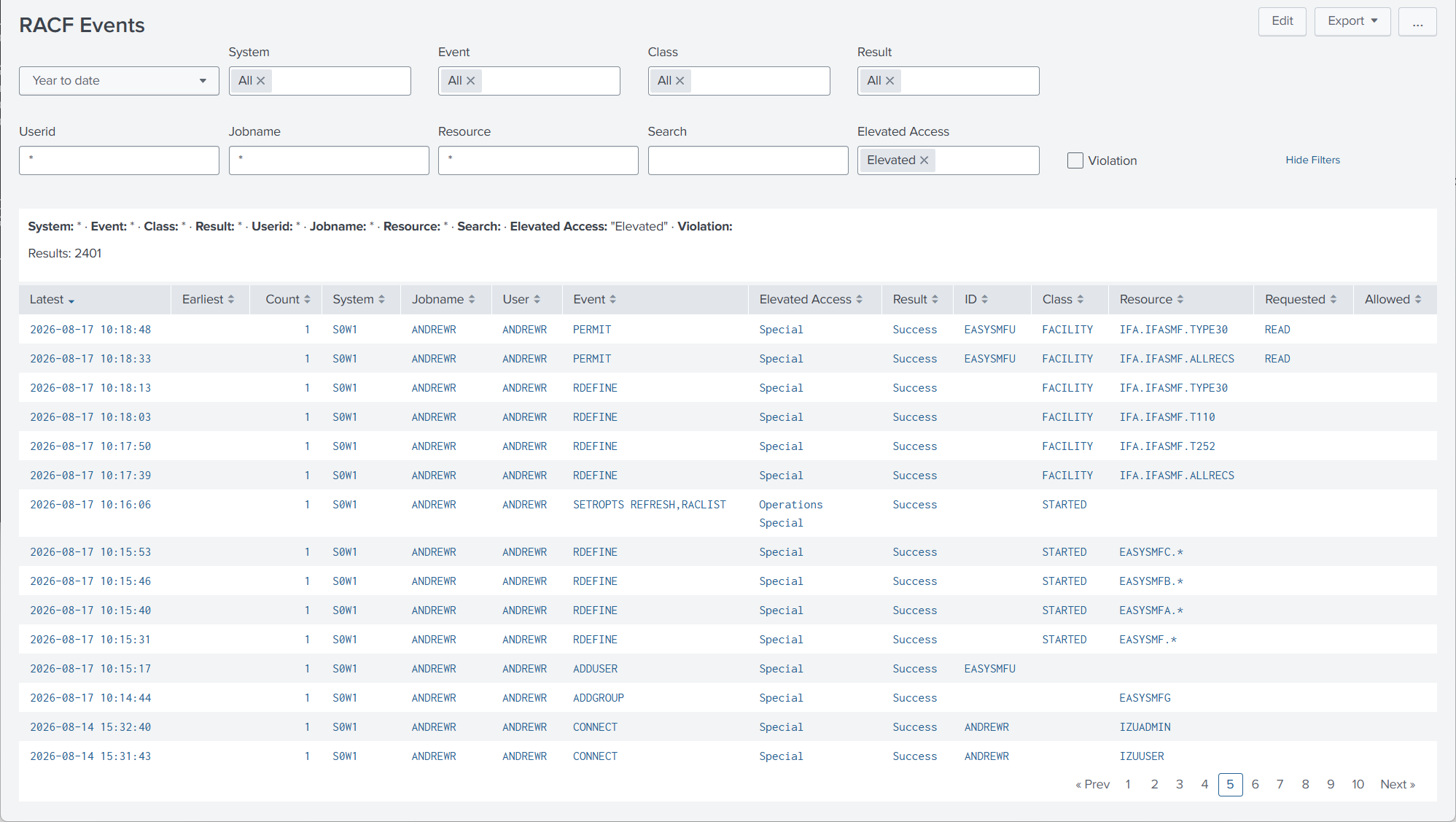
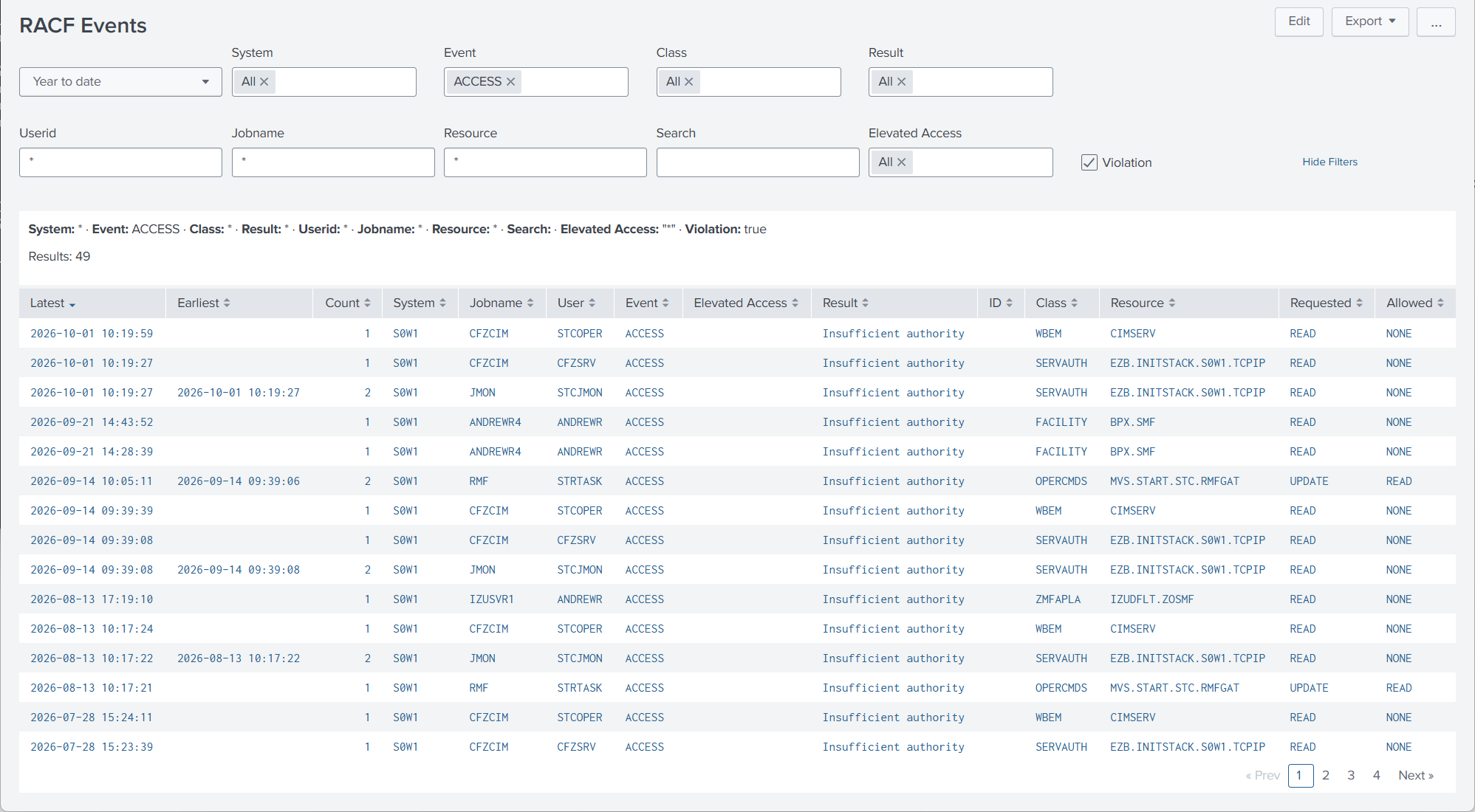
Filter by event, RACF class, result, use of elevated access authority (Operations, Special, Superuser etc.) and events flagged as Violations by RACF. Other filters include userid, jobname and RACF resource.
Elevated Access
Violations
Login Failures
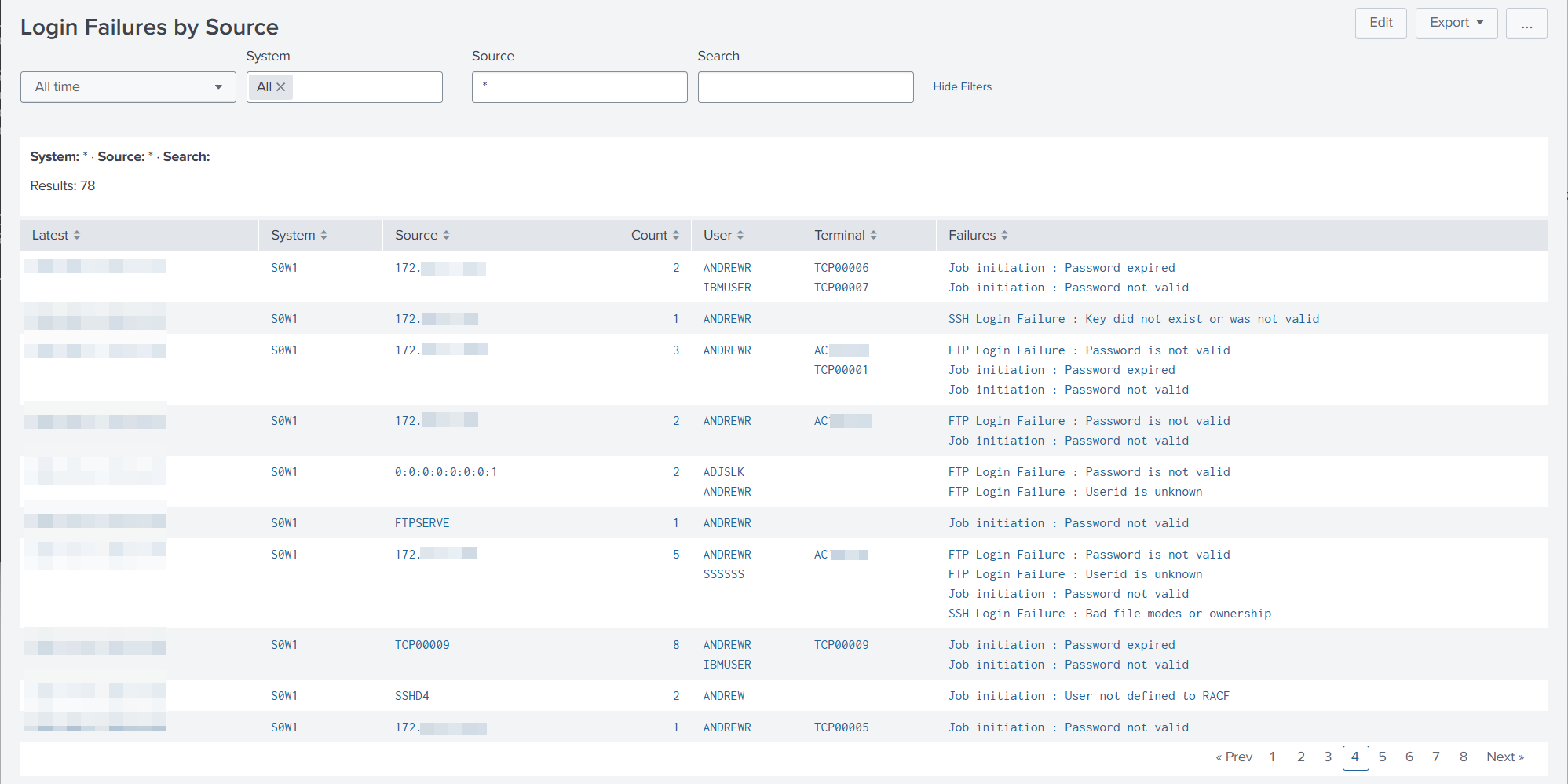
Login failures, including login failures from FTP and SSH from TCP/IP records. TCP/IP type 119 records are used to link the RACF terminal with an IP address, so that different failures from the same IP address can be reported.
Login Failures by Source
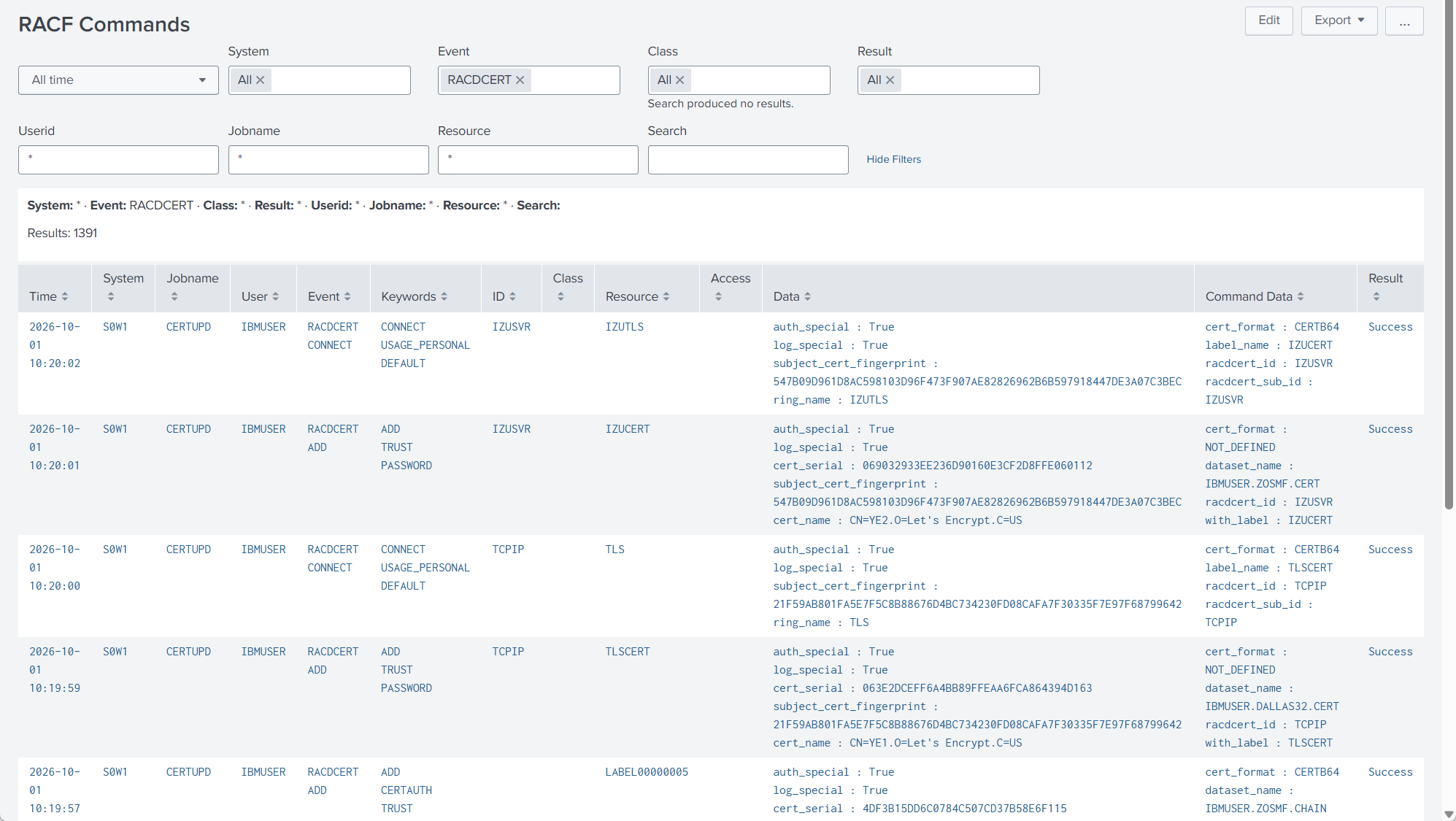
RACF Commands
RACF command events. Filter by command, RACF class, result, userid, jobname and RACF resource. View command keywords and command data.
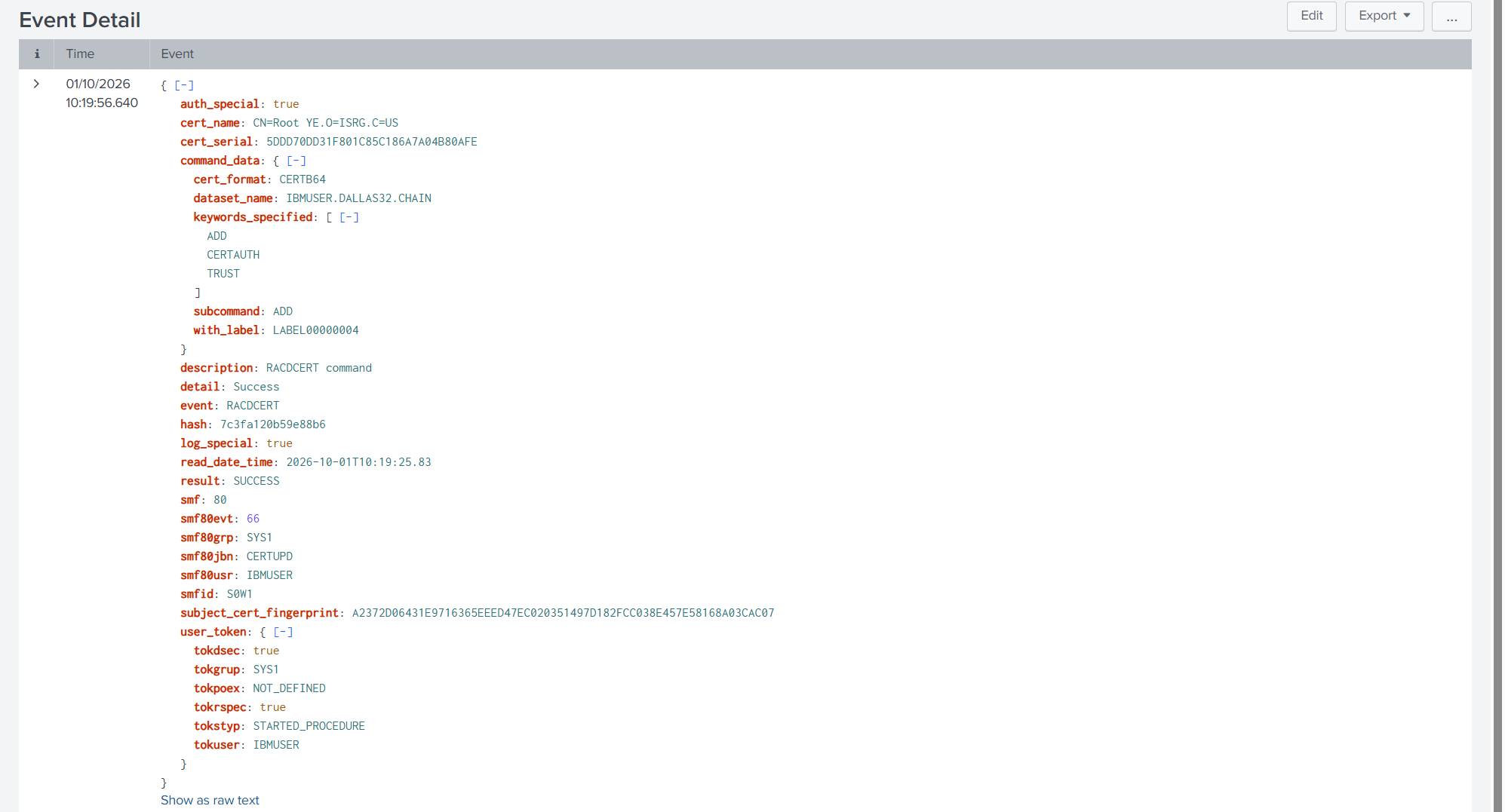
Event Details
Click through from any report to view the detailed event information.
30 Day Trial
Contact us for for information, or a 30 day trial: